Deposit Crypto
xRocket enables depositing crypto to your wallet via several methods:
-
You can use our Telegram bot or mini app to transfer assets from another xRocket wallet or from a wallet of another supported network.
-
You can buy crypto with a bank card in our Telegram mini app and receive it as a deposit to your xRocket wallet.
-
You can trade on P2P market to get the crypto you want.
-
You can deposit cash via our partner services.
How to deposit crypto in bot/mini app?
- Bot
- Mini App
- Navigate to My Wallet → Deposit.
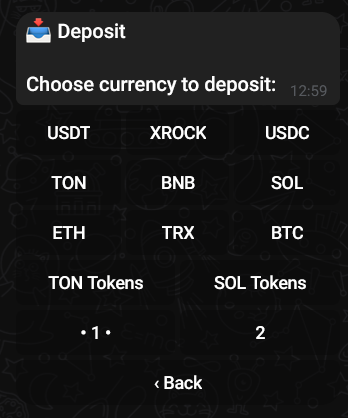
- Select an asset that you want to deposit (and the network if applicable). The bot will display the instructions and the address to send the asset to.
Always double-check that you are depositing the correct asset on the correct network. For example, if you selected USDT on ETH-ERC20, you must send exactly USDT from an ETH-ERC20 address. Sending the wrong coin or using a different network will result in permanent loss of funds.
- On the Wallet tab tap Deposit.
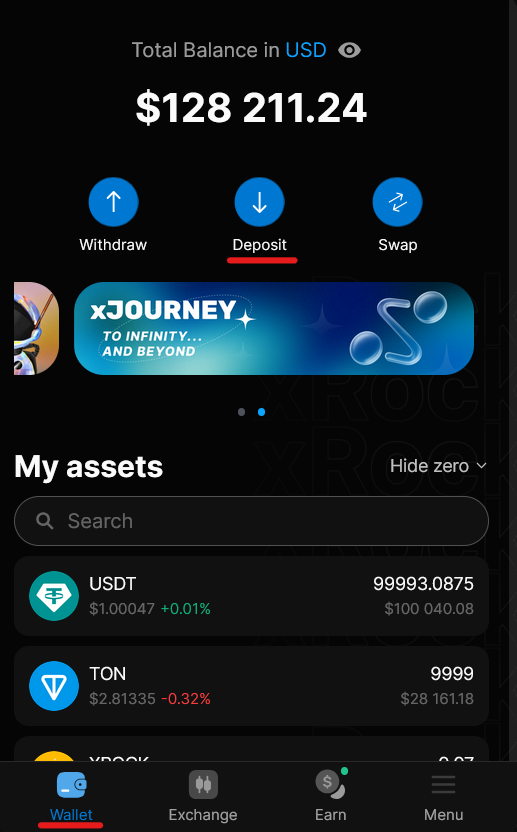
- On the next screen select type of deposit.
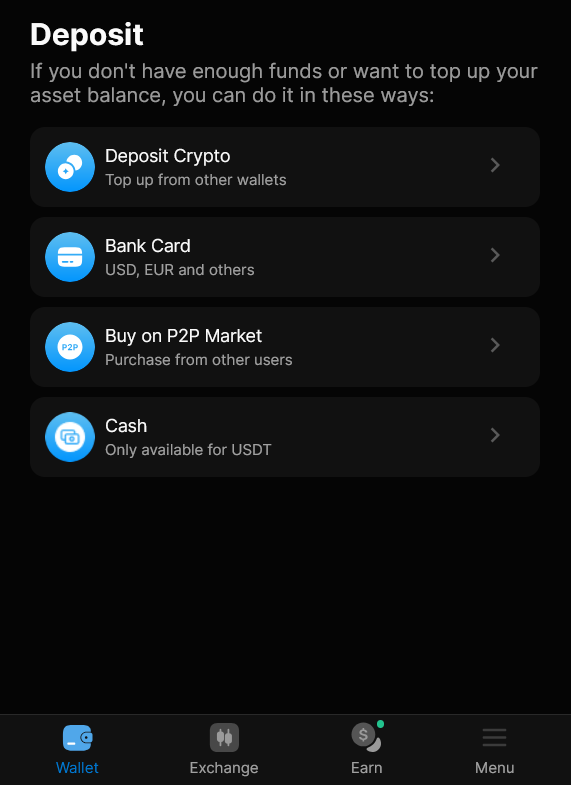
Select:
- Deposit Crypto to send crypto from another xRocket wallet or another blockchain address.
- Bank card to buy crypto with a card and deposit it to your wallet.
- Buy on P2P Market to see if any P2P offers by other users match your needs.
You will then need to select an asset that you want to deposit/buy and the blockchain network type if applicable. The app will display the instructions and the address to send the asset to.
Deposit via Bank card
If you select Bank card, you will then need to select an asset that you want to send:
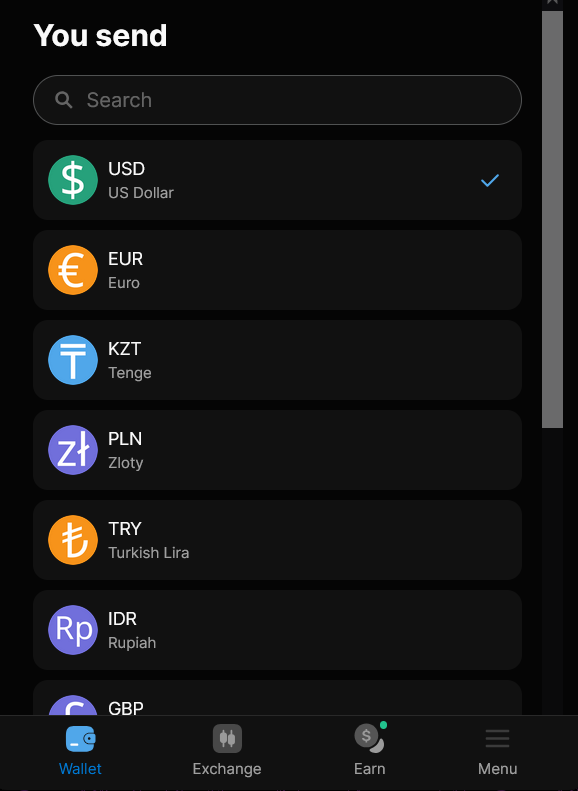
- On the next page select the crypto that you want to receive:
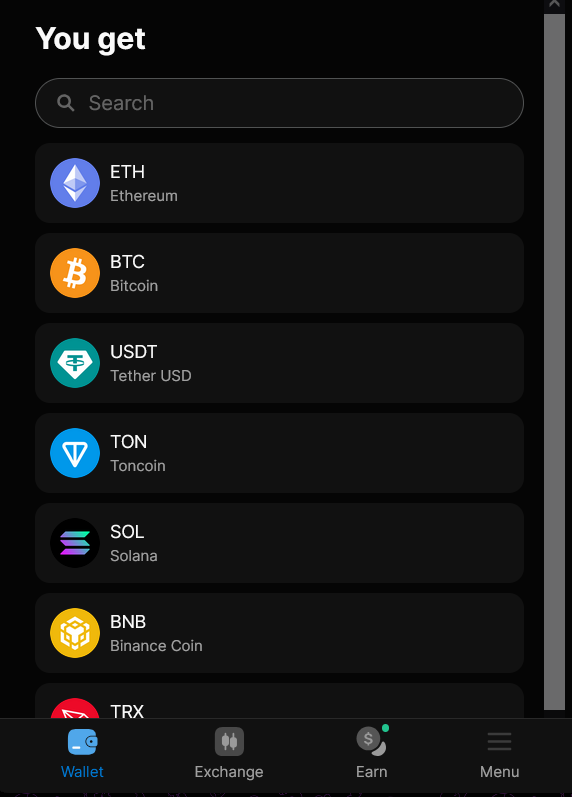
For example, if you select USD on the You send and USDT on You receive page, you will then need to send USD from your bank card to one of our partners to get the deposit of USDT to your xRocket wallet.
-
On the next screen review your deposit details.
-
Make sure that the location and currency are set correctly.
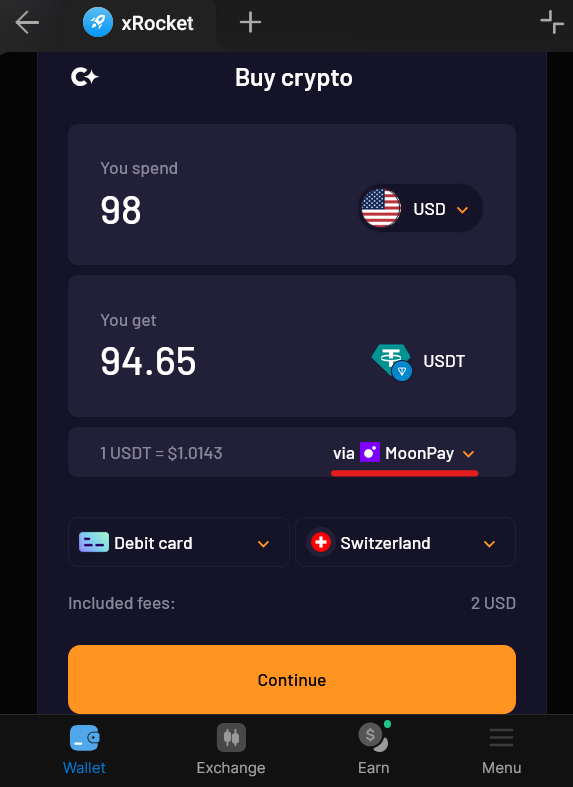
Based on that selection the available payment methods will be listed for selection in Via field.
- Pick one of our partners and tap Continue.
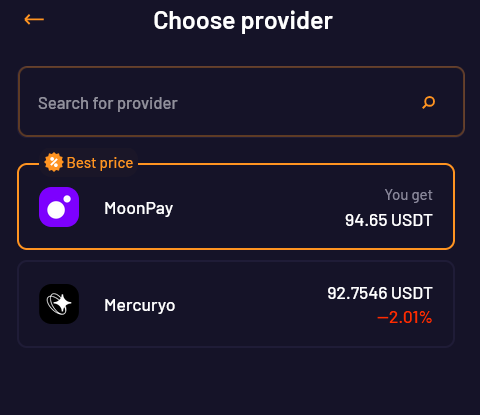
Then you will be forwarded to the selected partner's website.
- Follow the partner's instructions to complete your payment.
Bank card deposits are processed by third-party partners. Processing times and fees vary by provider and payment method.
xRocket does not require a MEMO when depositing to our wallets. If your sending exchange or wallet requires a mandatory MEMO entry, you can fill in any value -- it does not affect the deposit.